Code Snippet Manager for Developers: The Ultimate Guide

Every developer has a version of this moment: you need a utility function you definitely wrote before—something that debounces API calls, or parses nested JSON safely, or formats dates in that one specific way your backend expects. You know it exists. You wrote it six months ago. But where?
Maybe it’s in an old project’s utils/ directory. Maybe you dropped it in a Gist and forgot to star it. Maybe it’s in a Slack message to yourself. You spend ten minutes hunting, give up, and rewrite it from scratch—slightly worse than the original because you’re rushing.
A code snippet manager for developers exists to kill this loop. But most developers either don’t use one, or tried one and abandoned it. The gap between “this sounds useful” and “I actually use this daily” is where most tools fail.
What You Actually Lose Without One
The time spent rewriting code is the obvious cost. The subtler cost is that you lose the improved version—the one where you already handled the edge case, already fixed the off-by-one error.
How many times have you written a regex for email validation? Or a retry function with exponential backoff? Each time, you probably got it slightly different. One version handled timeouts. Another handled rate limits. None of them had both, because you couldn’t find the one you perfected last quarter.
There’s also the stuff you never bother saving because you know you’ll never find it again. That gnarly Docker command that fixed your multi-stage build. The .env template with all the right variable names for your AWS setup. The git alias that pretty-prints the log graph. You type these things, use them once, and let them dissolve into terminal history.
Why Most Snippet Managers Get Abandoned
The tool graveyard is full of snippet managers, and most died for the same three reasons.
Saving is too slow. If storing a snippet requires switching apps, picking a category from a dropdown, and filling in three metadata fields, you won’t bother—especially not mid-flow when you’re actually solving a problem. The threshold is about five seconds. More than that, and saving feels like filing taxes.
Retrieval is too slow. This is the critical one. If searching takes more than a second, you start doing mental math: “Is it faster to search for this or just rewrite it?” Once you’re asking that question, the tool has already lost. The best tools help you find code snippets fast—search needs to feel instant, results appearing as you type, like autocomplete in your editor.
Organization is mandatory. Tools that force you to maintain folder hierarchies or tagging taxonomies become a second job. You should be able to dump code in and find it later without having curated it first.
How Developers Actually Save Snippets
In practice, most developers end up with one of three setups, each with real tradeoffs.
Plain text files (~/snippets/ or similar) are dead simple. Your code is just files, searchable with grep, editable anywhere. But grep slows down at scale, you get no syntax highlighting in search results, and there’s no ranking—a partial match on line 400 of a file looks the same as an exact match on the title.
Note-taking apps like Obsidian or Notion consolidate everything in one place, which is convenient if you already live there. But they don’t understand code. Search doesn’t know that def and function mean the same thing conceptually. Syntax highlighting is often limited. Pasting a 50-line Python function into a Notion page and getting it back out cleanly is never quite frictionless.
Dedicated snippet managers are built for this exact workflow. The good ones give you fast, code-aware search, proper syntax highlighting for dozens of languages, and a save experience that takes seconds. The tradeoff is adding another tool—but if you write and reuse code regularly, that tradeoff pays for itself fast.
What a Good Code Snippet Manager Actually Looks Like
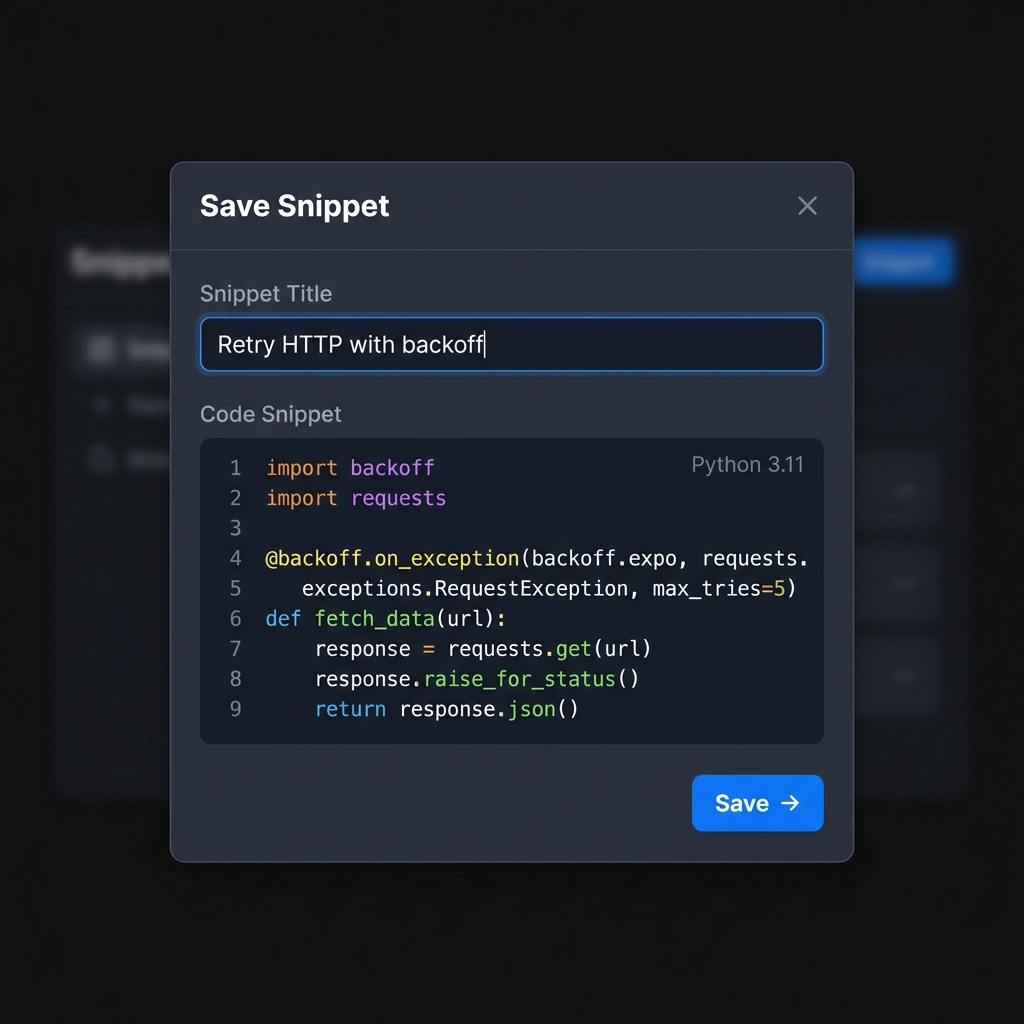
Here’s a concrete example. Say you saved this utility function a few months ago:
import time
import random

def retry_with_backoff(fn, max_retries=5, base_delay=1.0):
    """Retry a function with exponential backoff and jitter."""
    for attempt in range(max_retries):
        try:
            return fn()
        except Exception as e:
            if attempt == max_retries - 1:
                raise
            delay = base_delay * (2 ** attempt) + random.uniform(0, 1)
            time.sleep(delay)
Six months later, you need retry logic again. In a good snippet manager, you type retry backoff and it’s there in milliseconds—with the jitter you forgot you added, with the edge case handling you already figured out. You copy it back into VS Code and keep moving.
That’s the whole point. Not a library. Not a framework. Just your code, findable when you need it.
ZetoPad is a code snippet manager built around this workflow. The search engine combines BM25 relevance scoring with trigram indexing—the same technique used by GitHub’s code search—which means results come back in under 10 milliseconds. Not as a best-case benchmark, but consistently, across tens of thousands of snippets.
You can search by content, title, tags, or filter by language. Something like lang:python decorator finds every Python decorator pattern you’ve saved. lang:bash docker pulls up your Docker commands. The search syntax is simple because it mirrors how you actually think about your code.
lang:python retry            → Python retry patterns
tag:aws .env                 → AWS environment templates
lang:sql join                → Your JOIN query patterns
The app runs entirely offline. No account to create, no cloud sync adding latency, no worrying about proprietary code leaving your machine. It highlights 200+ languages, so your Terraform configs get the same treatment as your TypeScript. And it’s a one-time $9.99 purchase—no subscription, no tiers, no “upgrade to unlock search.” See why many developers consider it the best code snippet manager in 2026.
Building a Workflow That Sticks
The key insight is: save first, organize later (or never). When you write something reusable, hit the global hotkey, paste it, give it a title like “retry with exponential backoff and jitter,” and save. That takes five seconds. The title becomes your future search query.
Don’t agonize over tags or folders upfront. After a few weeks of accumulating snippets, you’ll naturally notice patterns—maybe you want a docker tag, or a folder for your team’s API patterns. Add structure retroactively when it earns its keep, not preemptively. For practical tips on this, read our guide on how to organize code snippets.
Here’s what experienced developers tend to accumulate:
- Utility functions — debounce, throttle, retry, deep merge, date formatting
- Shell commands — Docker multi-stage builds, kubectl incantations, git log pretty formats
- Config templates —
.envfiles, CI/CD pipeline snippets, nginx configs - Regex patterns — email validation, URL parsing, semantic version matching
- SQL queries — complex JOINs, window functions, migration patterns
- API boilerplate — auth middleware, error handlers, rate limiting setups
The more you use what you save, the more you save. A snippet manager that sits unused is worthless. One you reach for ten times a day becomes the most valuable tool on your machine.
Getting Started
If you’ve tried snippet managers before and bounced off, the problem was probably the tool, not the concept. The difference between a snippet manager with 500ms search and one with 10ms search is the difference between “I could look this up” and “I already found it.”
ZetoPad offers a seven-day free trial, no account required. Download it, save a few things you’d normally let disappear into terminal history, and see if instant retrieval changes how you work.